.png "Aya")
Overview
Aya partnered with Techvoot Solutions to develop an intelligent AI and ML-powered voice assistant designed to help users make smarter, faster, and more data-driven decisions. The solution combined natural language processing, machine learning models, voice recognition, intelligent automation, real-time data access, and conversational AI to simplify complex workflows and improve decision-making experiences. The platform enabled users to interact naturally through voice commands, access relevant information quickly, automate routine tasks, and receive intelligent recommendations through a scalable AI assistant ecosystem.
Performance at a Glance
Voice-Enabled Intelligence
Enabled users to access information, complete tasks, and receive assistance through natural voice interactions.Smarter Decisions
Delivered AI and ML-powered insights to support faster, more accurate, and data-driven decision-making.Workflow Automation
Reduced manual effort by automating repetitive tasks and simplifying user interactions through conversational AI.Goals
The client aimed to build a smart AI voice assistant that could understand user intent, process natural language queries, deliver accurate responses, and support intelligent decision-making. They also wanted to improve user productivity, automate workflows, and create a scalable AI-powered assistant platform.
- Voice-Based User Interaction: Enable users to interact with the assistant naturally using voice commands and conversational prompts.
- AI-Powered Decision Support: Use AI and ML models to provide relevant insights, recommendations, and data-driven responses.
- Natural Language Understanding: Help the assistant understand user intent, context, and queries through advanced NLP capabilities.
- Workflow Automation: Automate repetitive tasks and simplify complex processes through intelligent assistant workflows.
- Real-Time Data Access: Allow users to retrieve important information quickly through connected systems and AI-powered search.
- Personalized User Experience: Deliver context-aware responses and recommendations based on user behavior, preferences, and interaction history.
- Scalable AI Assistant Platform: Build a flexible architecture capable of supporting more use cases, integrations, and future AI enhancements.
- Secure Data Processing: Ensure reliable and secure handling of user conversations, business data, and AI-driven interactions.
The Challenges
Before developing the Aya voice AI assistant, the client needed to solve challenges related to natural language accuracy, real-time responsiveness, workflow automation, personalization, and scalable AI implementation.
Complex User Queries
Users needed the assistant to understand different types of questions, commands, and conversational inputs accurately.
Limited Decision Support
Traditional systems provided static information but lacked intelligent recommendations and data-driven guidance.
Manual Workflow Burden
Users spent unnecessary time completing repetitive tasks that could be automated through an AI assistant.
Context Understanding Gaps
The assistant needed to understand user intent, conversation history, and contextual meaning to deliver useful responses.
Integration Complexity
The platform required reliable integration with data sources, third-party systems, and business tools.
Need for Scalable AI Architecture
The solution needed a strong technical foundation to support future AI features, expanding use cases, and growing user demand.
Solutions by Techvoot
Techvoot Solutions developed Aya as a smart AI and ML-powered voice assistant designed to deliver conversational intelligence, automate workflows, and support faster data-driven decision-making.
AI Voice Assistant Development
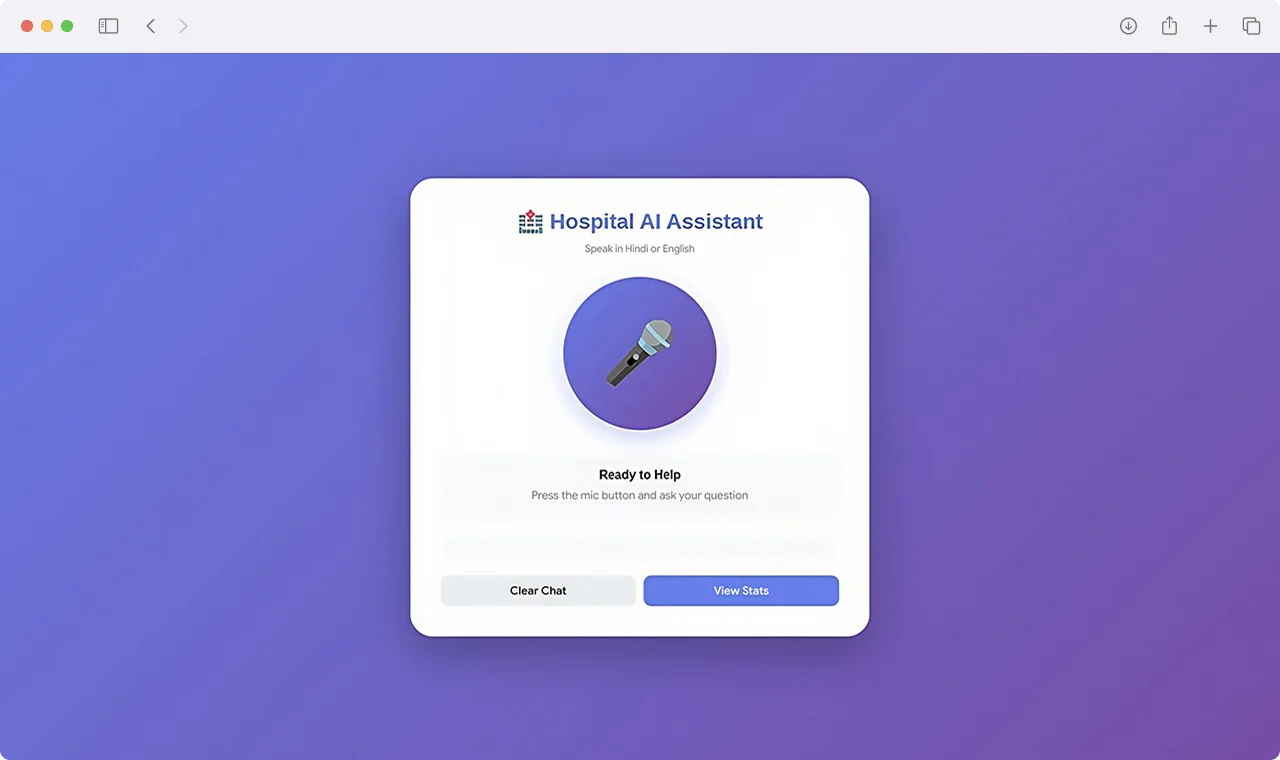
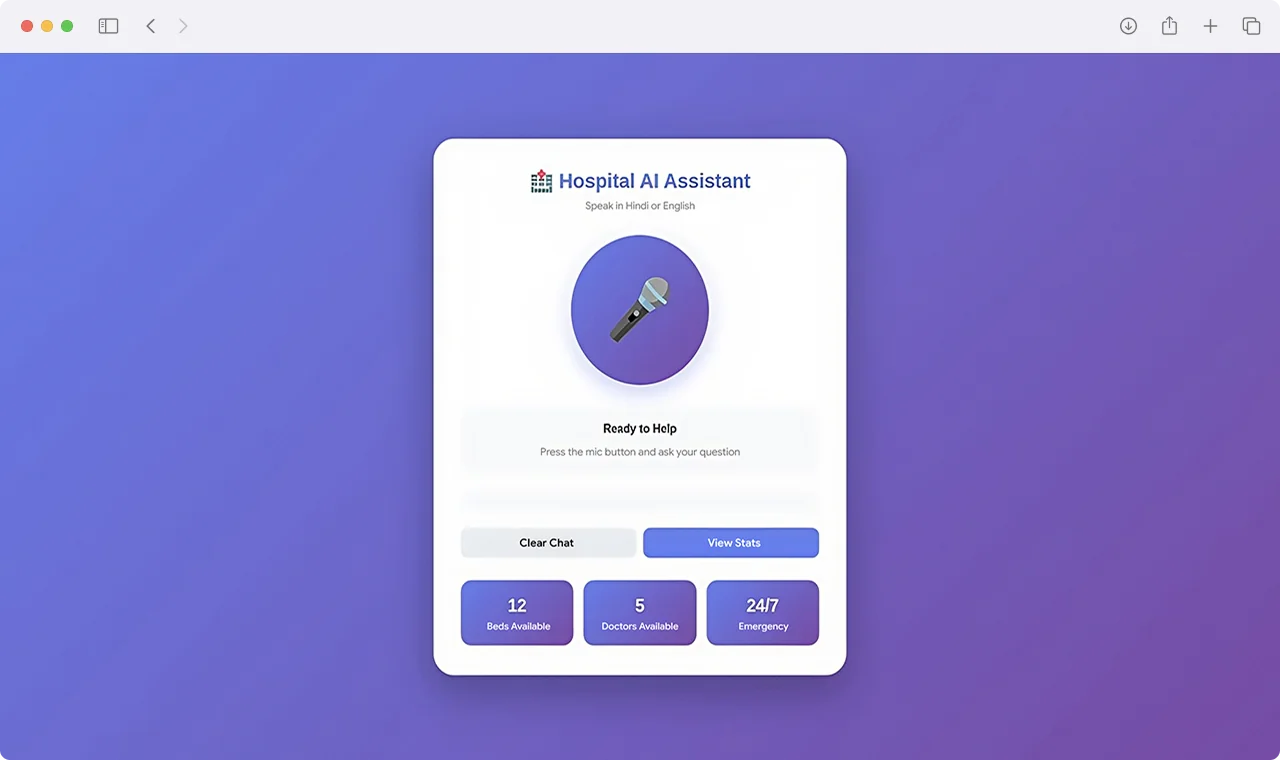
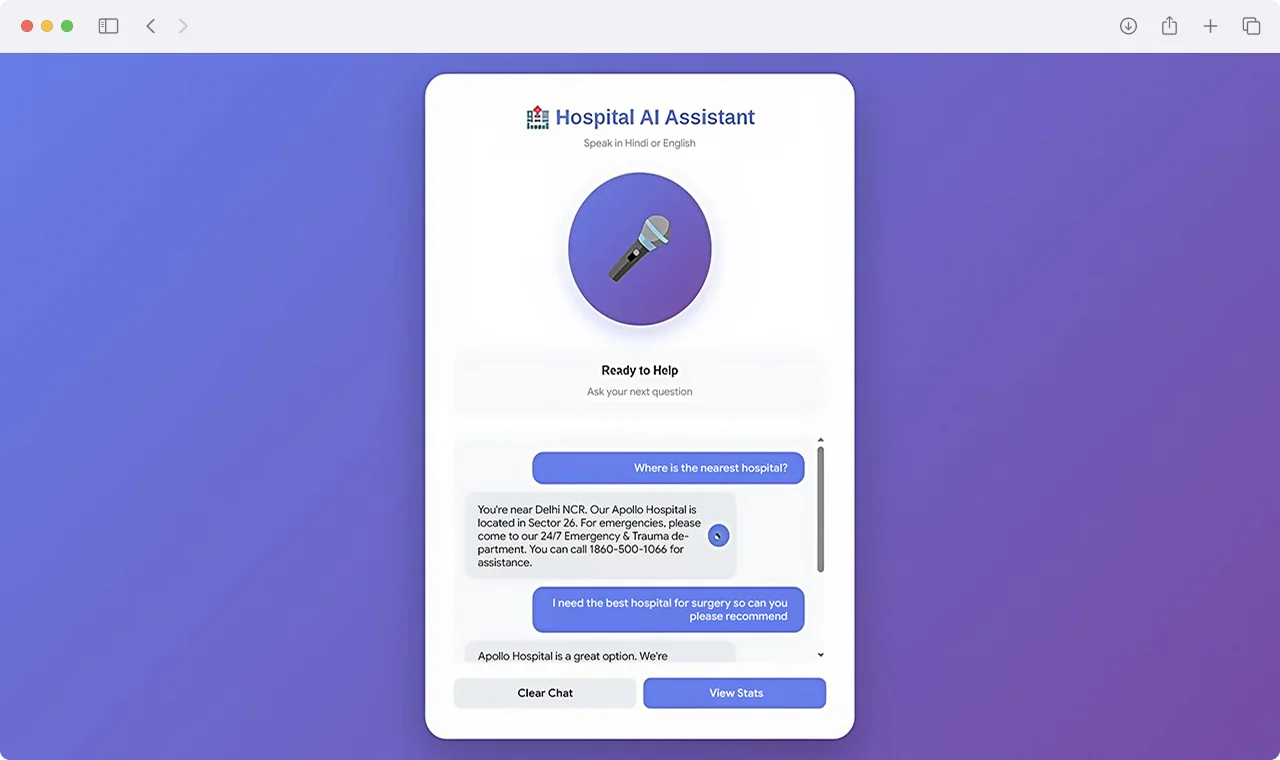
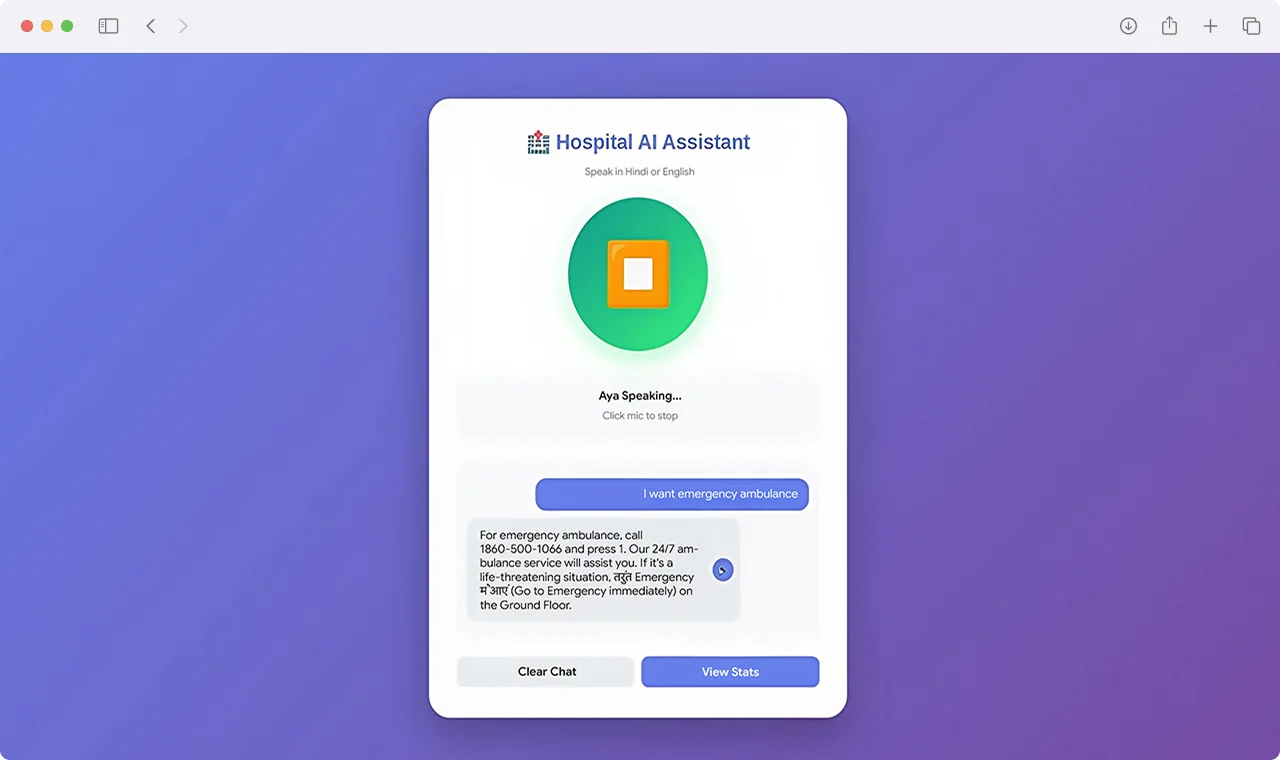
Built a voice-enabled AI assistant that allows users to ask questions, give commands, and complete tasks through natural conversations.
Natural Language Processing
Implemented NLP capabilities to understand user intent, interpret queries, and generate accurate conversational responses.
Machine Learning-Based Insights
Integrated ML models to analyze user inputs, identify patterns, and deliver smarter recommendations.
Intelligent Workflow Automation
Developed automated workflows to help users complete repetitive actions faster and reduce manual effort.
Real-Time Data Connectivity
Enabled the assistant to access relevant data sources and provide quick, context-aware information when users need it.
Secure & Scalable Infrastructure
Built a reliable backend architecture to support secure data processing, AI model integration, and future platform expansion.
Core Features
The platform combined conversational AI, machine learning, automation, and secure system architecture to deliver a smart voice assistant experience.
- AI-powered voice assistant for natural user interactions.
- Natural language processing for intent recognition and query understanding.
- Machine learning models for intelligent recommendations and decision support.
- Voice command processing for hands-free task completion.
- Real-time data access for quick and relevant responses.
- Context-aware conversations based on user inputs and interaction history.
- Workflow automation for repetitive tasks and operational efficiency.
- Secure and scalable backend infrastructure for future AI expansion.
Project Snapshot
Exploring AI for your organization but unsure where to start?
Talk to teams who’ve already built, tested, and learned the hard parts.
Talk to Our Experts TodayRelated Case Studies
This is just one example of what's possible. Discover how businesses across industries have solved complex challenges and accelerated growth with AI, Odoo ERP, custom software development, cloud technologies, and digital transformation solutions.
View All Case StudiesSoulfi: Mental Wellness - On-Demand, Backed by AI Care
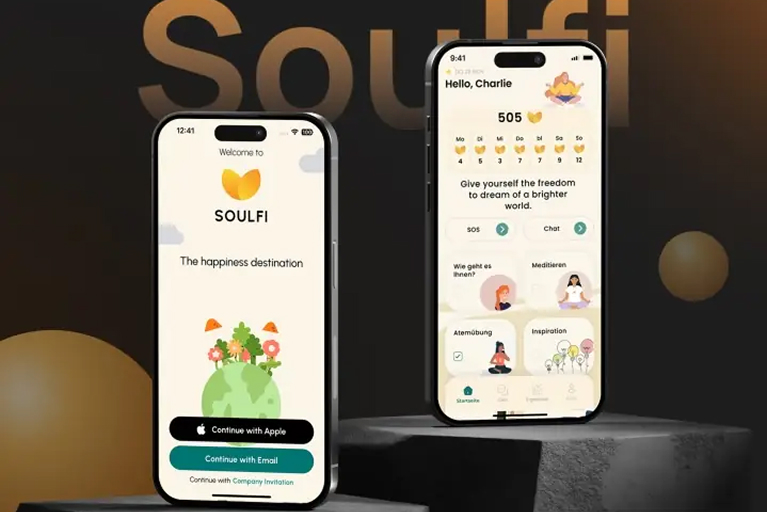
The Soulfi platform combined intelligent emotional support, journaling, mood tracking, and mindfulness tools to create a modern self-care experience. Smart reminders and adaptive wellness journeys helped users stay consistent with their mental wellness routines.
TLOU.ai: Hire Faster with AI Screening & Automation

To modernize recruitment operations, TLOU.ai collaborated with Techvoot Solutions to create a scalable AI-powered HR platform. The solution automated screening, ranking, and candidate management workflows while giving recruiters structured insights for faster and more informed hiring decisions.
Transforming Tobacco Contract Farming With Odoo ERP
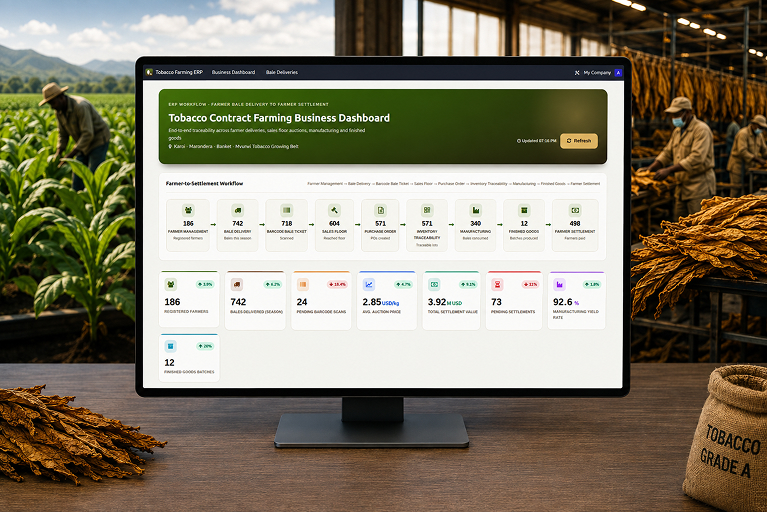
Park Industries Limited partnered with Techvoot Solutions to digitize tobacco contract farming and manufacturing operations through a customized Odoo ERP platform. The solution streamlined farmer management, barcode-based bale tracking, inventory traceability, payroll compliance, and production workflows while delivering real-time operational visibility across the business.
What our clients say
I had the opportunity to work with Techvoot Solutions on a major software project called SchedFAST. Without their support, I'm not sure how far the project would have progressed. Their team is highly detail-oriented and takes the time to ensure everything functions exactly as it should. I would confidently recommend Techvoot Solutions to any company, anywhere in the world, looking for a dependable technology partner.

I worked with Dhaval for over a year on multiple projects, during which he consistently demonstrated strong technical expertise, particularly in blockchain trading platforms and cryptocurrency solutions. His skills and performance played a significant role in the success of these projects. Dhaval's ability to think beyond conventional approaches, combined with his reliability and punctuality, made him a valuable contributor throughout our collaboration.

It was a pleasure working with Kevin. He quickly understood the requirements and delivered the work efficiently and on schedule. The code was reviewed by our internal development team and rated highly for its quality. We look forward to working together again in the future.

I've had the pleasure of working with Dhaval for quite a long period of time. Dhaval has always been quick to respond and gets things right the first time. Dhaval had a deep understanding of our software and made many suggestions that made it a much better offering.

Kevin and his team are a great development and support team. They bring strong technical expertise and guide you through every stage of the project until completion. Their support and commitment make the entire process smooth and reliable. I would highly recommend Kevin and his team.

They are one of the most highly professional team we ever worked with. They have the required knowledge and they use latest technologies. They not only deliver on time but also provide quality work.


I highly recommend Kevin as an exceptional software development professional. He effectively manages both web and mobile development, with strong expertise in iOS and Android platforms. Having worked with him for over two years, I've consistently been impressed by his technical skills, reliability, and ability to deliver high-quality results.

Brilliant work, excellent communication, and consistently timely delivery. The entire experience was smooth and hassle-free. I would definitely work with them again and highly recommend them to anyone looking for reliable IT services.

Techvoot Solutions has proven to be a reliable and dependable partner. Their team is responsive, accommodating, and consistently attentive to our requests. They deliver work on time while remaining flexible as our needs evolve. What stands out is their transparency; they're always clear when it comes to invoicing and communication, which builds a strong sense of trust. Overall, Techvoot Solutions is a partner we're confident in and would highly recommend.

Techvoot Solutions delivered the app on time and met all expectations. Their team maintained clear and consistent communication throughout the project, with regular virtual meetings that kept everything aligned and on track.

I had a great experience working with Kevin and Ravi. They were incredibly supportive throughout the process and consistently delivered excellent service. I would highly recommend them to anyone looking for reliable web development services.

Techvoot Solutions has been a reliable and consistent partner. Their ability to understand our requirements and act on feedback quickly has made the collaboration smooth and productive. Communication is clear, response times are prompt, and deadlines are always respected. They have a strong grasp of what's needed and consistently deliver solutions that align with our expectations. A dependable team that takes quality seriously in every aspect of their work.

They demonstrated a solid understanding of the scope and were able to deliver the expected outcomes. Techvoot Solutions ensured 99.5% uptime and achieved a 95% satisfaction rate in post-project surveys, delivering the app on time with an agile workflow. The team's responsiveness and structured project management truly stood out.

Techvoot Solutions demonstrated a deep understanding of our requirements and translated them into a solution that delivered real, measurable impact. Their work reduced manual effort by 60%, streamlined task tracking, and significantly improved overall team productivity. What stood out was their structured approach to project management; highly responsive, detail-oriented, and quick to incorporate feedback. Communication was seamless throughout, making the entire collaboration efficient, transparent, and results-driven.

They are highly cooperative and friendly.The team was flexible and responsive to feedback, adhered to timelines, and consistently demonstrated a friendly and collaborative approach.

Their responsiveness, flexibility, and commitment to quality made them stand out. Partnering with Techvoot Solutions led to remarkable improvements in efficiency, productivity, accuracy, cash flow, and engagement. The team managed the project with precision, delivering on time, adapting quickly to changes, and providing consistent support.

They are proactive, quick to respond, and always focused on delivering smart, effective solutions. Techvoot Solutions' work has improved my operations, customer experience, and website traffic. The entire team is professional, well-organized, and flexible. They deliver on time, communicate smoothly, and are always open to feedback.

They are highly professional and efficient, delivering excellent and reliable development work. The team works quickly without compromising on quality and demonstrates strong technical expertise throughout. Their professionalism and consistency make them a dependable partner.

Techvoot Solutions demonstrated a strong understanding of their field and delivered the project on time. The team listened well and understood our needs. The team was easy to work with and communicated via virtual meetings, emails, and messages.

They delivered exceptional quality relative to the investment. The team created a design system that aligned seamlessly with our style guidelines and was immediately put to use. They worked efficiently, iterated quickly based on feedback, and maintained clear communication throughout the project. Everything was delivered on time, making the overall experience smooth and reliable.

Working with Techvoot Solutions has been an outstanding experience. Their technical expertise, combined with a genuine commitment to client success, sets them apart. The teams professionalism, problem-solving skills, and kindness make them more than just a technology partner, they are a trusted extension of our business.

Techvoot Solutions helped us launch three weeks ahead of schedule. Their team consistently delivered high-quality work on time and communicated clearly throughout virtual meetings. They were helpful, professional, and genuinely committed to our projects success.

Techvoot Solutions successfully delivered and launched our website, earning positive feedback. Their team managed the project efficiently, responded quickly to our needs, and patiently handled multiple changes throughout the process.

Techvoot Solutions successfully improved our systems performance and integrated Angular, Node.js, and Elasticsearch components. Their organized project management, responsive communication, and timely delivery made the entire experience highly satisfactory.

Techvoot Solutions improved our platforms performance, stability, and scalability while strengthening its mobile responsiveness, user experience, and backend functionality. Their quick response, respectful communication, and strong technical expertise truly stood out.
.jpg "Anonyms")