

Odoo Shopify Integration
Sync Shopify orders, products, stock, customers and payments with Odoo.
View integrationA BigCommerce Odoo integration puts every order, customer, product and stock change in the right place without copy and paste. As an official Odoo partner, we set up a ready-made connector or build a custom integration on the BigCommerce API and webhooks.
 from BigCommerce to Odoo
both ways between BigCommerce and Odoo
from Odoo to BigCommerce
from Odoo to BigCommerce


A BigCommerce Odoo integration starts with one decision: which system owns each type of data. BigCommerce stays the place where customers shop. Odoo becomes the place where you manage stock, fulfillment and accounting.
This is the setup we usually start from. We adjust each row to match your storefronts, channels and warehouse.
 From BigCommerce into Odoo
As soon as an order is placed
From BigCommerce into Odoo
With each new order
Both ways
One import, then on every change
From Odoo back to BigCommerce
On every stock move or on a schedule
From Odoo back to BigCommerce
When a price changes
From Odoo back to BigCommerce
When a delivery is validated
From BigCommerce into Odoo
Per order
From BigCommerce into Odoo
When a refund is issued
Odoo does not include its own BigCommerce connector, so the exact fields and timing depend on the connector or custom build you choose.
A connected store and ERP removes the manual steps between a sale and your books.
Orders flow from BigCommerce into Odoo on their own, so your team stops copying them line by line.
BigCommerce shows the quantity Odoo actually has, which cuts overselling and cancelled orders.
The warehouse picks and ships from Odoo, and the shipment with tracking is added to the BigCommerce order.
Sales, payments and refunds are posted in Odoo accounting with the order they belong to.
Odoo does not ship an official BigCommerce connector. Third-party connectors cover the standard flow, or the integration can be built for your workflow on the BigCommerce API and webhooks. We help you choose, then set it up.
These are the flows BigCommerce merchants ask for first. Each one runs without anyone copying data between systems.
A paid BigCommerce order becomes an Odoo sales order, reserves stock, and creates the invoice and payment entry.
Receipts, transfers and sales in Odoo update inventory in BigCommerce, so products sell out when they really do.
When the warehouse validates a delivery in Odoo, a shipment with the tracking number is added to the BigCommerce order.
Refunds issued in BigCommerce are recorded in Odoo accounting, and returned items go back into stock after they are checked.
New products, variants and prices created in Odoo are published to BigCommerce without entering them twice.
BigCommerce customer groups and price lists match Odoo pricelists, so trade buyers see the prices you agreed.
Five steps, each with a clear output, from the first call to a live sync.
Discuss My BigCommerce IntegrationWe review your BigCommerce storefronts, apps and channels, and how orders move through Odoo today.
We decide which system owns products, prices, stock and customers, and map taxes, shipping methods and order statuses.
We install and configure a connector, or build the custom integration on the BigCommerce API and webhooks.
Real orders, refunds and stock moves run on a test database before anything touches live data.
We switch the sync on, watch the logs, and stay on hand to fix errors and tune performance.
Connect Odoo with the other tools your business runs on.
Sync Shopify orders, products, stock, customers and payments with Odoo.
View integration
Bring Amazon orders and customers into Odoo, and keep stock levels in step with your listings.
View integration
Sync WooCommerce orders, customers and products with Odoo sales, inventory and accounting.
View integration
Move Salesforce accounts, contacts and won deals into Odoo for quoting, invoicing and delivery.
View integration
Pass HubSpot contacts, companies and deals to Odoo so sales hands over cleanly to operations.
View integration
Sync Magento orders, customers and products with Odoo inventory, fulfillment and accounting.
View integration
Share customers, invoices and payments between QuickBooks and Odoo, or move your books into Odoo.
View integration
Report on Odoo sales, stock and finance data in Power BI dashboards your team already reads.
View integration
Connect Odoo to the other apps your team uses with Zapier triggers and actions, without custom code.
View integration
Get rates, print labels and track parcels with your carriers straight from Odoo delivery orders.
View integration
Record Stripe payments, fees and payouts in Odoo and match them with your invoices.
View integration
Record Razorpay payments and settlements in Odoo and match them with your invoices.
View integration
Send order updates, invoices and reminders from Odoo on WhatsApp, and keep replies with the customer record.
View integrationWe connect Odoo with eCommerce, CRM, accounting, payment and shipping platforms.
See how we've helped companies tackle complex operations, improve visibility, and grow with technology that actually fits the way they work.
View all case studies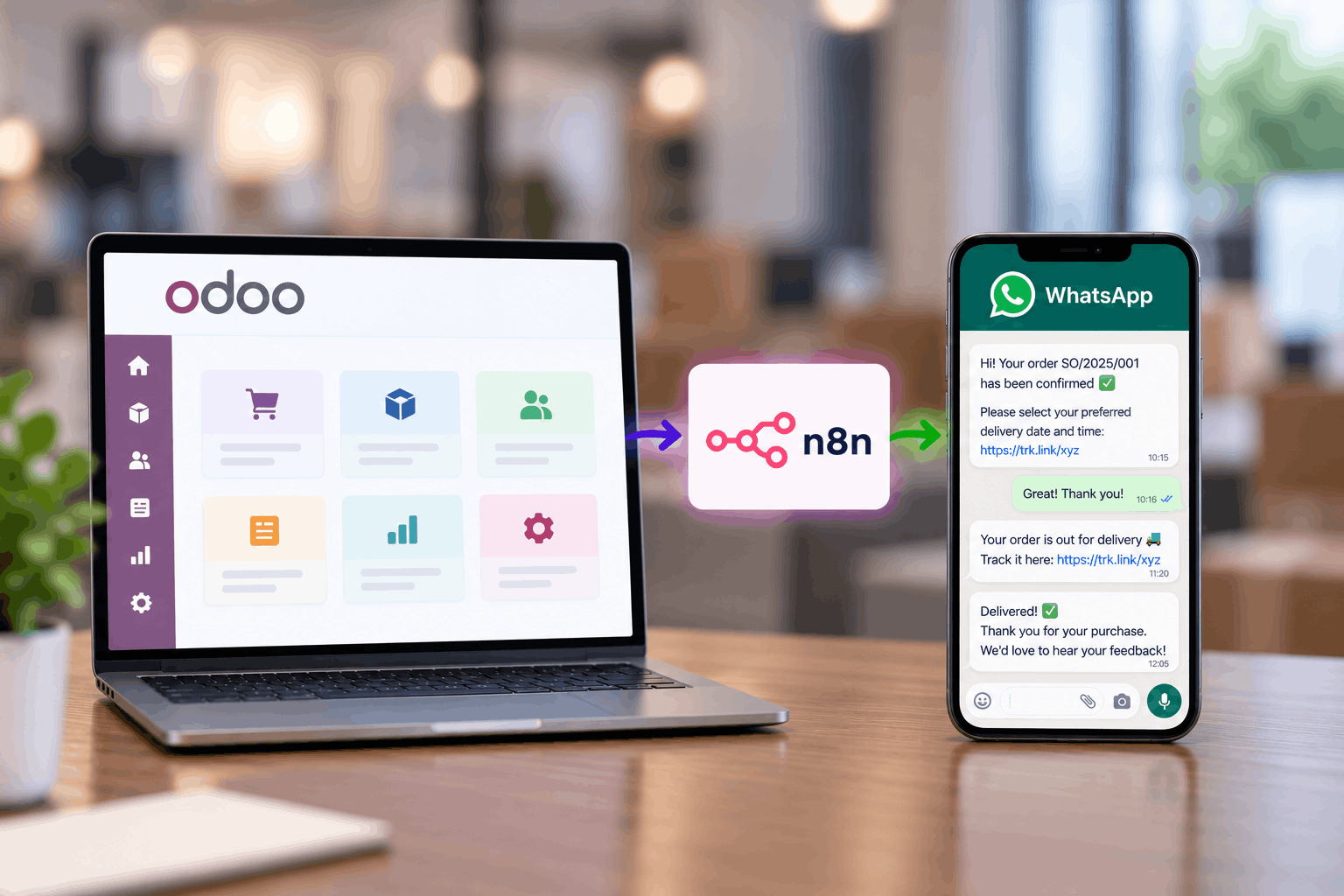
See how Techvoot integrated Odoo ERP and n8n to automate delivery scheduling, driver assignment, proof of delivery and customer support for a Mauritius furniture retailer.
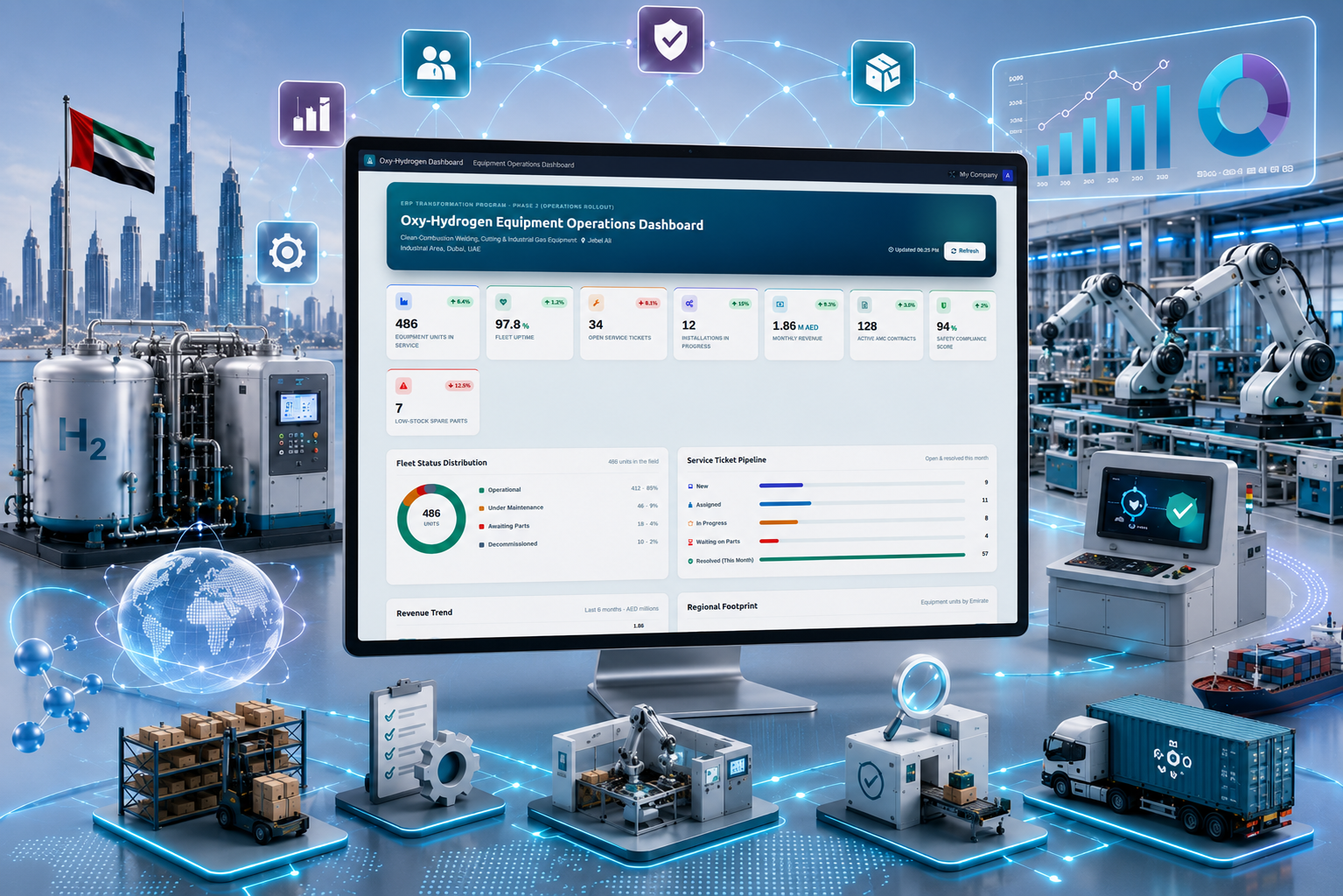
A UAE-based oxy-hydrogen equipment company partnered with Techvoot Solutions to implement a customized Odoo ERP platform that unified manufacturing, inventory, procurement, sales, and finance operations. The solution improved operational visibility, streamlined workflows, and enabled faster business decision-making through centralized ERP management.
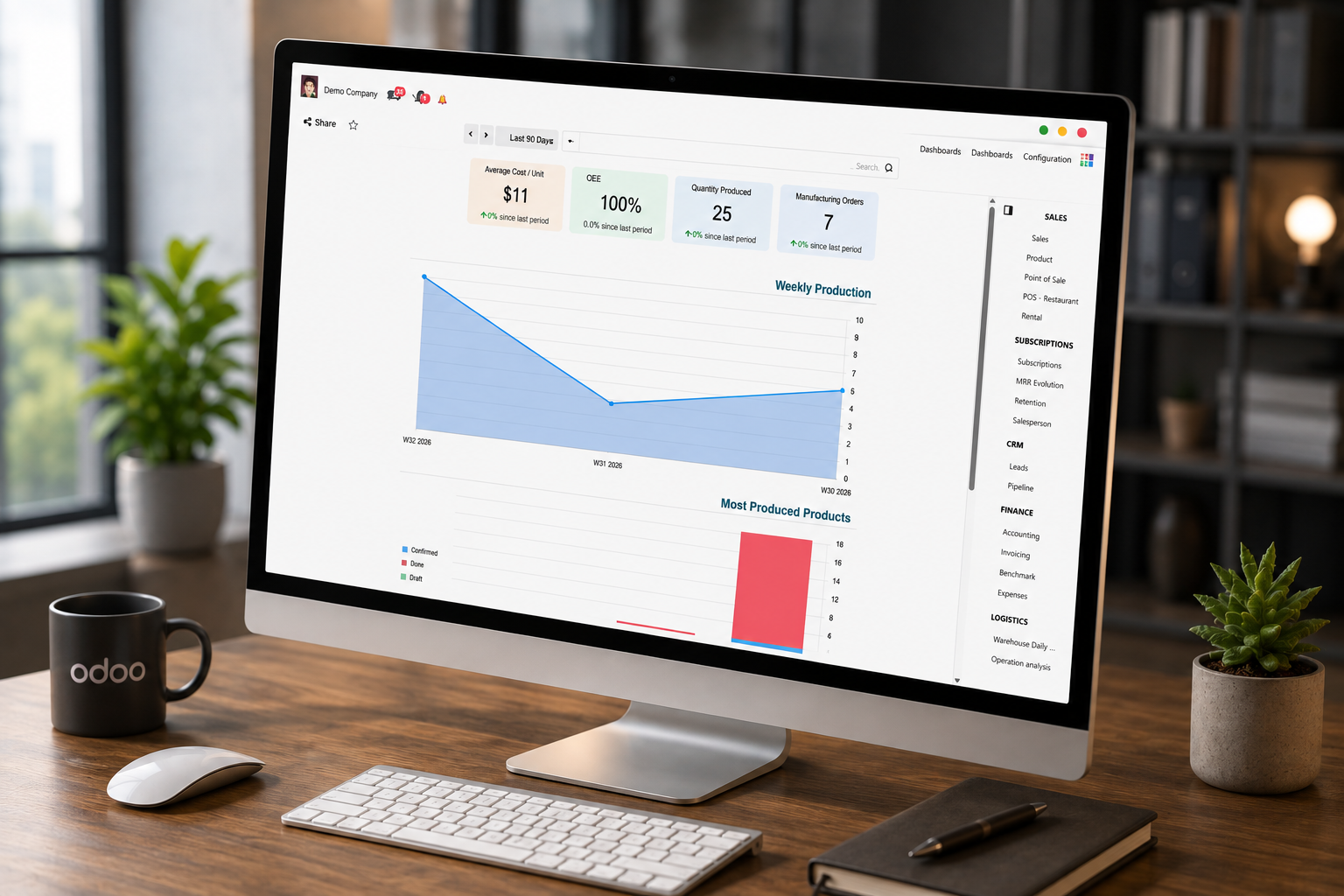
A manufacturing company achieved 35% improved operational efficiency with Techvoot’s Odoo ERP implementation, enabling integrated production, inventory, finance, HR, and logistics management on a single platform.


Answers to the questions merchants ask before they connect BigCommerce with Odoo.
No. As of 2026, Odoo does not ship an official BigCommerce connector. Third-party connectors are available, and a custom integration can be built on the BigCommerce API. We help you pick the option that fits your store and Odoo version.
Orders, customers, products, variants, prices, inventory levels, shipments, tracking numbers, payments and refunds. Before we build anything, we agree which system owns each type of data so records are never overwritten by mistake.
Yes. Stock levels, prices, product updates and shipments go from Odoo to BigCommerce, while orders, customers and payments flow from BigCommerce into Odoo.
Orders can reach Odoo within moments through BigCommerce webhooks. Stock and price updates can be sent on every change or on a schedule, depending on your order volume and API limits.
Yes. Orders keep their storefront or channel, so sales and reports stay separate where you need them, while stock and accounting stay in one Odoo database.
Yes. We import your current catalog and customers into Odoo and can bring in past orders when you need them for reporting. The import is tested on a copy of your database first.
Failed records are logged with the reason, can be retried, and can trigger an alert to your team, so an order is never lost quietly. We set this up as part of the integration.
It depends on the approach. Configuring a ready-made connector is usually the faster path. A custom integration takes longer because it is designed, built and tested around your workflow. You get a timeline after the discovery step.
I had the opportunity to work with Techvoot Solutions on a major software project called SchedFAST. Without their support, I'm not sure how far the project would have progressed. Their team is highly detail-oriented and takes the time to ensure everything functions exactly as it should. I would confidently recommend Techvoot Solutions to any company, anywhere in the world, looking for a dependable technology partner.

I worked with Dhaval for over a year on multiple projects, during which he consistently demonstrated strong technical expertise, particularly in blockchain trading platforms and cryptocurrency solutions. His skills and performance played a significant role in the success of these projects. Dhaval's ability to think beyond conventional approaches, combined with his reliability and punctuality, made him a valuable contributor throughout our collaboration.

It was a pleasure working with Kevin. He quickly understood the requirements and delivered the work efficiently and on schedule. The code was reviewed by our internal development team and rated highly for its quality. We look forward to working together again in the future.

I've had the pleasure of working with Dhaval for quite a long period of time. Dhaval has always been quick to respond and gets things right the first time. Dhaval had a deep understanding of our software and made many suggestions that made it a much better offering.

Kevin and his team are a great development and support team. They bring strong technical expertise and guide you through every stage of the project until completion. Their support and commitment make the entire process smooth and reliable. I would highly recommend Kevin and his team.

They are one of the most highly professional team we ever worked with. They have the required knowledge and they use latest technologies. They not only deliver on time but also provide quality work.


I highly recommend Kevin as an exceptional software development professional. He effectively manages both web and mobile development, with strong expertise in iOS and Android platforms. Having worked with him for over two years, I've consistently been impressed by his technical skills, reliability, and ability to deliver high-quality results.

Brilliant work, excellent communication, and consistently timely delivery. The entire experience was smooth and hassle-free. I would definitely work with them again and highly recommend them to anyone looking for reliable IT services.

Techvoot Solutions has proven to be a reliable and dependable partner. Their team is responsive, accommodating, and consistently attentive to our requests. They deliver work on time while remaining flexible as our needs evolve. What stands out is their transparency; they're always clear when it comes to invoicing and communication, which builds a strong sense of trust. Overall, Techvoot Solutions is a partner we're confident in and would highly recommend.

Techvoot Solutions delivered the app on time and met all expectations. Their team maintained clear and consistent communication throughout the project, with regular virtual meetings that kept everything aligned and on track.

I had a great experience working with Kevin and Ravi. They were incredibly supportive throughout the process and consistently delivered excellent service. I would highly recommend them to anyone looking for reliable web development services.

Techvoot Solutions has been a reliable and consistent partner. Their ability to understand our requirements and act on feedback quickly has made the collaboration smooth and productive. Communication is clear, response times are prompt, and deadlines are always respected. They have a strong grasp of what's needed and consistently deliver solutions that align with our expectations. A dependable team that takes quality seriously in every aspect of their work.

They demonstrated a solid understanding of the scope and were able to deliver the expected outcomes. Techvoot Solutions ensured 99.5% uptime and achieved a 95% satisfaction rate in post-project surveys, delivering the app on time with an agile workflow. The team's responsiveness and structured project management truly stood out.

Techvoot Solutions demonstrated a deep understanding of our requirements and translated them into a solution that delivered real, measurable impact. Their work reduced manual effort by 60%, streamlined task tracking, and significantly improved overall team productivity. What stood out was their structured approach to project management; highly responsive, detail-oriented, and quick to incorporate feedback. Communication was seamless throughout, making the entire collaboration efficient, transparent, and results-driven.

They are highly cooperative and friendly.The team was flexible and responsive to feedback, adhered to timelines, and consistently demonstrated a friendly and collaborative approach.

Their responsiveness, flexibility, and commitment to quality made them stand out. Partnering with Techvoot Solutions led to remarkable improvements in efficiency, productivity, accuracy, cash flow, and engagement. The team managed the project with precision, delivering on time, adapting quickly to changes, and providing consistent support.

They are proactive, quick to respond, and always focused on delivering smart, effective solutions. Techvoot Solutions' work has improved my operations, customer experience, and website traffic. The entire team is professional, well-organized, and flexible. They deliver on time, communicate smoothly, and are always open to feedback.

They are highly professional and efficient, delivering excellent and reliable development work. The team works quickly without compromising on quality and demonstrates strong technical expertise throughout. Their professionalism and consistency make them a dependable partner.

Techvoot Solutions demonstrated a strong understanding of their field and delivered the project on time. The team listened well and understood our needs. The team was easy to work with and communicated via virtual meetings, emails, and messages.

They delivered exceptional quality relative to the investment. The team created a design system that aligned seamlessly with our style guidelines and was immediately put to use. They worked efficiently, iterated quickly based on feedback, and maintained clear communication throughout the project. Everything was delivered on time, making the overall experience smooth and reliable.

Working with Techvoot Solutions has been an outstanding experience. Their technical expertise, combined with a genuine commitment to client success, sets them apart. The teams professionalism, problem-solving skills, and kindness make them more than just a technology partner, they are a trusted extension of our business.

Techvoot Solutions helped us launch three weeks ahead of schedule. Their team consistently delivered high-quality work on time and communicated clearly throughout virtual meetings. They were helpful, professional, and genuinely committed to our projects success.

Techvoot Solutions successfully delivered and launched our website, earning positive feedback. Their team managed the project efficiently, responded quickly to our needs, and patiently handled multiple changes throughout the process.

Techvoot Solutions successfully improved our systems performance and integrated Angular, Node.js, and Elasticsearch components. Their organized project management, responsive communication, and timely delivery made the entire experience highly satisfactory.

Techvoot Solutions improved our platforms performance, stability, and scalability while strengthening its mobile responsiveness, user experience, and backend functionality. Their quick response, respectful communication, and strong technical expertise truly stood out.
